One account, one assistant?
The built-in connectors are probably enough.

One MCP connector for Claude and ChatGPT
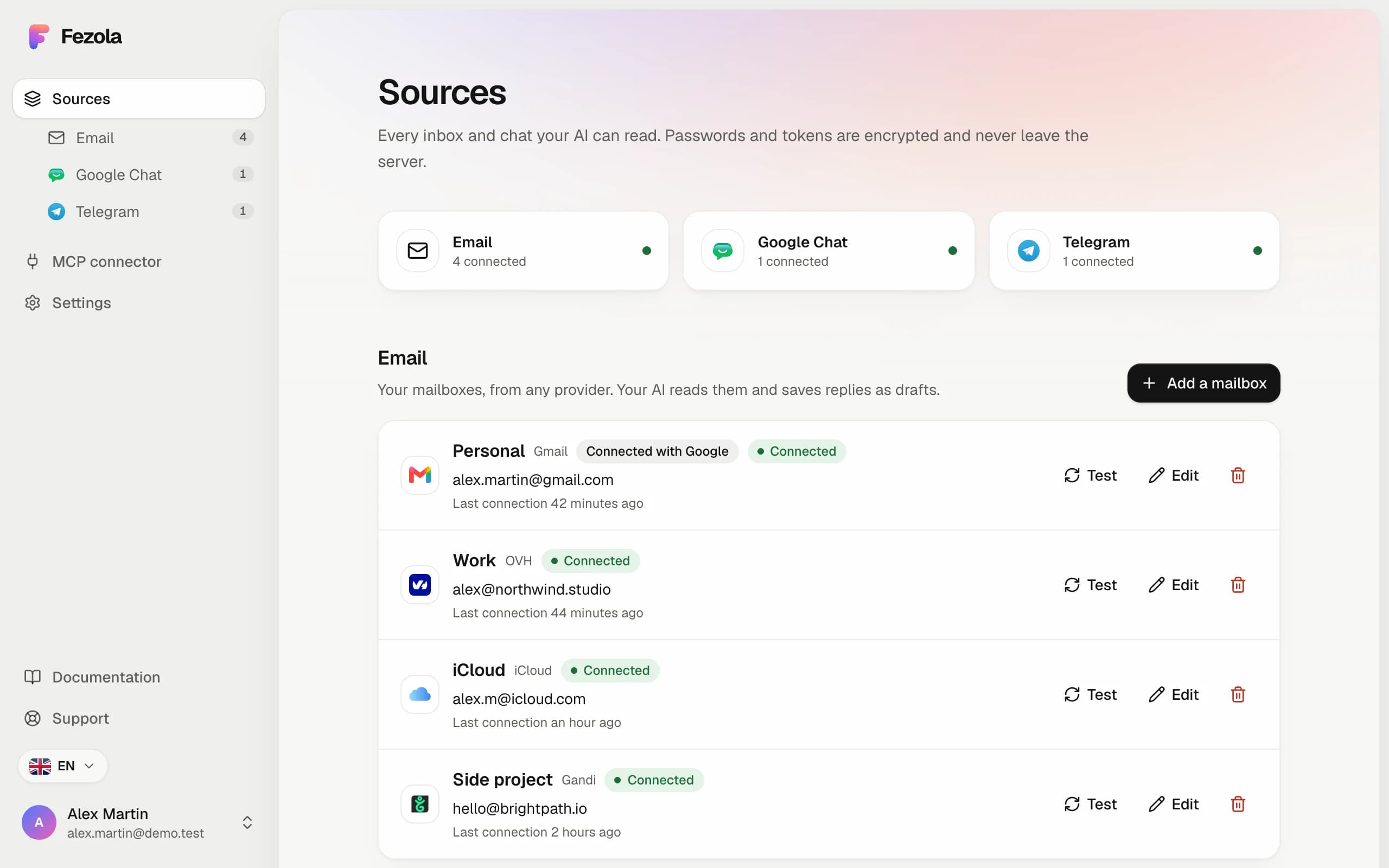
Fezola puts all your accounts behind one connector, for example 3 Gmail, 2 calendars, 4 Google Ads accounts and Telegram. Add it once to Claude, ChatGPT or another compatible assistant (an MCP client), then just ask. No servers to install or maintain.
Free for 2 sources. No card needed. ChatGPT: custom connectors on Business, Enterprise and Edu plans.
 Fezolaconnect once
The built-in connectors are probably enough.
That is what Fezola is for: connect once, ask anywhere.
Several Gmail, calendars or ad accounts of the same tool. Each answer names the account it comes from.



The same connector works in Claude, ChatGPT and other MCP clients. No need to install or maintain several MCP servers.


What matters about each client and project is kept once. You see it, edit it, delete it. Encrypted at rest.
About the shared MemoryOne question, every account. Example data.
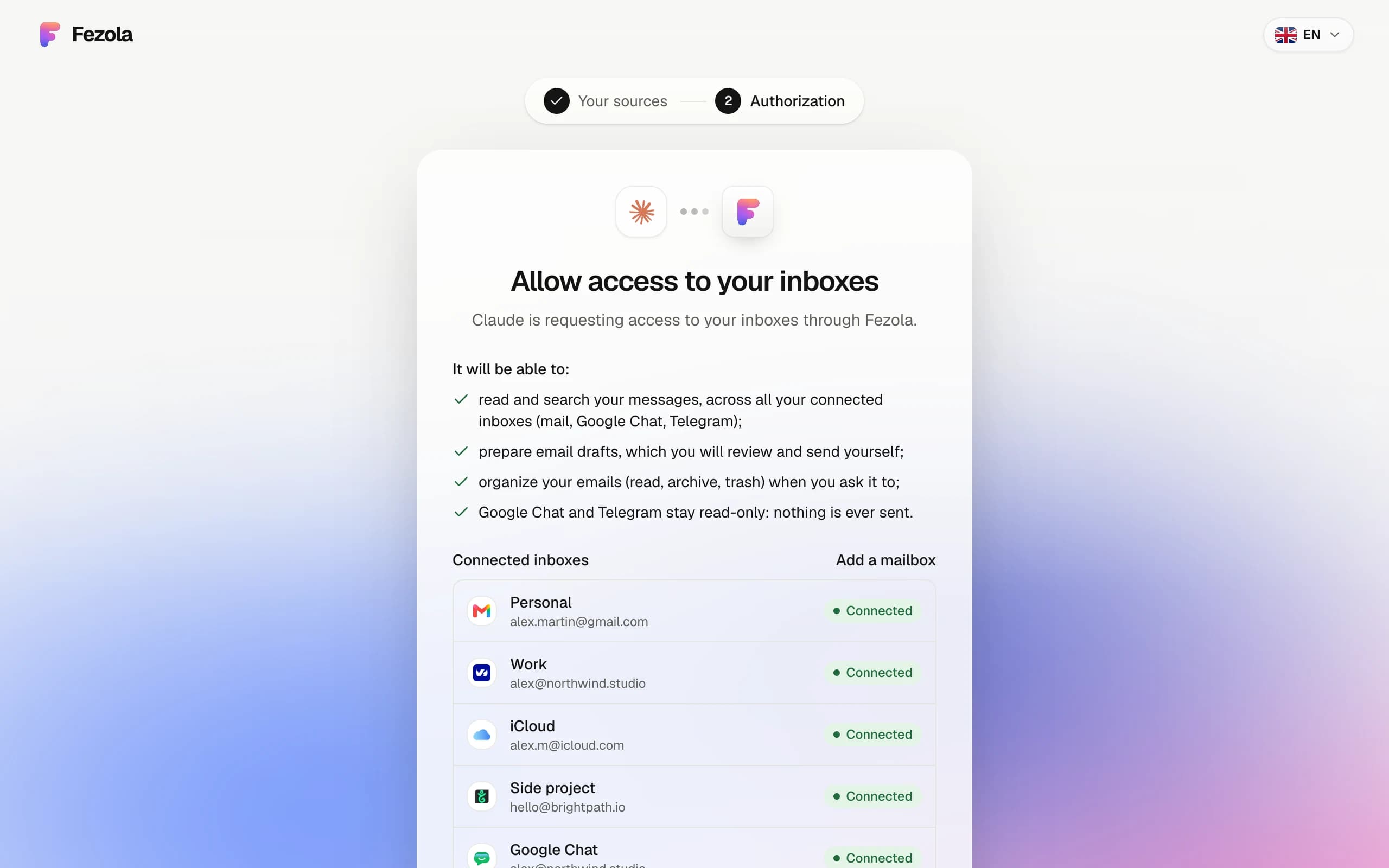
Answers from every mailbox, with the account named. Drafts by default: sending stays off until you switch it on.
Ads, spend and results from every account in one answer.
All your calendars checked at once.
Claude, ChatGPT and Fezola compared, source by source. 1 minute.
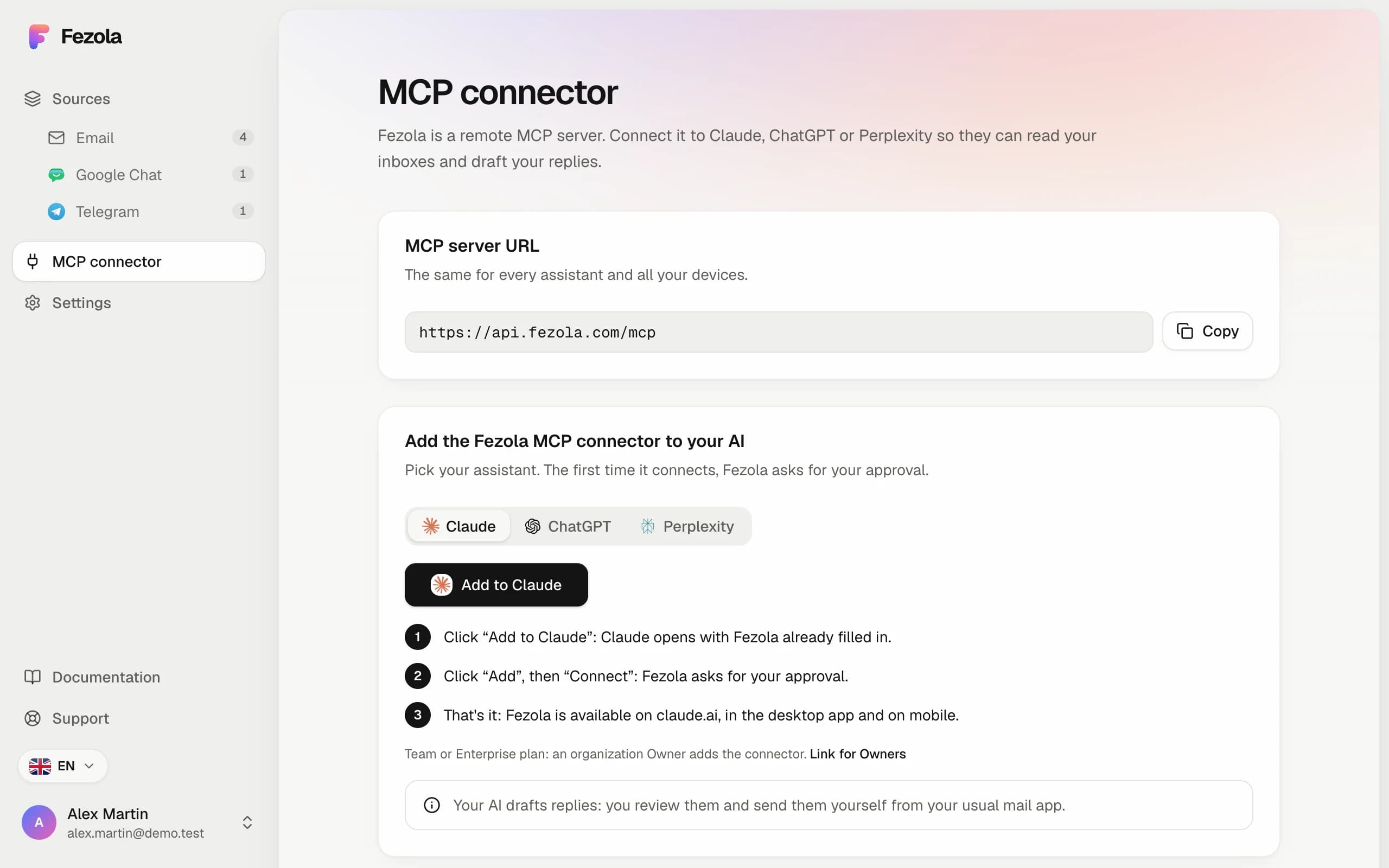
Set up once in a few minutes, then talk to your messages from any assistant.
Three messages are waiting for you:
Want me to draft replies?
Your providers and MCP-compatible assistants, already supported
Fezola fetches messages only when your assistant asks, and forgets them right after.
Real questions from people trying Fezola, answered plainly.
Their connectors cover one service each, often one account at a time. Fezola is one connector for all your accounts across tools: several Gmail and other mailboxes, Google Calendar, Google Ads, Microsoft Advertising, OpenAI Ads, Notion, Cloudflare and more, plus a Memory shared by your assistants. You add Fezola once to Claude or ChatGPT instead of one connector per tool.
Mailboxes (Gmail, Outlook.com, iCloud, OVH, IONOS, Gandi and any IMAP server), Google Chat and Telegram (read-only), Google Calendar, Google Ads, Microsoft Advertising, OpenAI Ads, Google Search Console, Notion, PostHog, DataForSEO, Brevo, ElevenLabs, Cloudflare and Zernio, Aircall, Atlassian and Linear. You can connect several accounts of the same tool, and your assistant searches them together. A new connector appears in Claude or ChatGPT without reconnecting Fezola.
No. The AI never chooses the sender. A reply is tied to the email you're answering: Fezola creates the draft in the mailbox that received it, with that mailbox's address as the sender.
No. Every result keeps its account, and threads are fetched mailbox by mailbox, so a support thread and a billing thread come back as two separate conversations.
Not by default. Fezola saves drafts in your mailbox and you press send yourself. Direct sending is off until you turn it on, mailbox by mailbox, and Claude and ChatGPT still ask you to confirm each send.
Read and manage every Google Ads, Microsoft Advertising and OpenAI Ads account you connect, from one connector with nothing to install: performance reports, new campaigns, pausing, budgets. New campaigns start paused, and changes that spend money are yours to approve. Google Ads and OpenAI Ads also offer a check-only mode that tests a change without applying it.
One memory for all your assistants. What you tell Claude can be recalled by another assistant connected to Fezola, sorted by project. It is on by default, encrypted at rest, and you can view, edit, delete, export or turn it off in the app. Secrets such as passwords are refused.
Claude (web, desktop and Claude Code), and ChatGPT on Business, Enterprise and Edu plans, which allow custom connectors. Any assistant or tool that supports remote MCP servers, such as Cursor, can use the same connector.
No. Messages are read live when your assistant asks, and they are not stored. What Fezola keeps is your connection credentials, encrypted, and your Memory if you use it.
Free with 2 sources. Pro is 9 € per month or 90 € per year, with unlimited sources and a 7-day free trial. You can cancel any time.
One connector for your accounts
Free for 2 sources. No card needed.