How to bring all your inboxes and chats into Claude (or ChatGPT Business)
Claude's Gmail connector covers Google accounts only. Most people have more: a second Gmail, a custom domain at OVH, IONOS or Gandi, iCloud, Google Chat, Telegram. A remote MCP connector like Fezola puts every mailbox, Google Chat and Telegram behind one URL, so your assistant can search all of them in a single request. In ChatGPT, custom MCP servers are available on Business and Enterprise/Edu plans (Pro read-only), so Claude is the easiest way in.
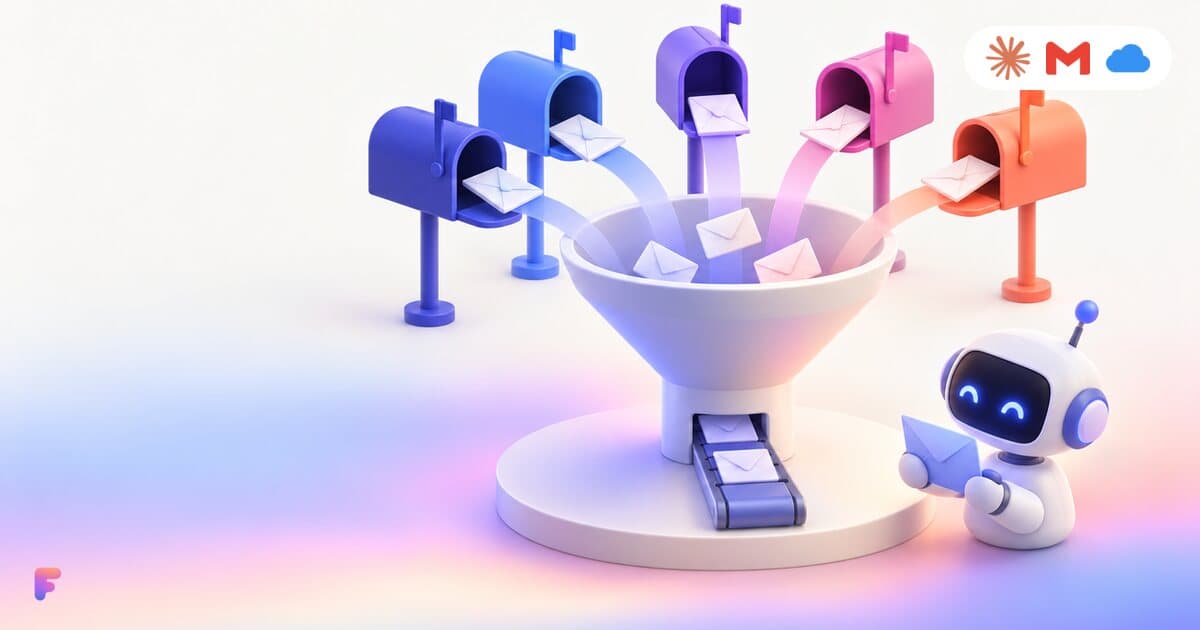
What the built-in connectors cover (November 2026)
The official connectors are improving quickly, so check your assistant's settings first: what follows may already be out of date.
- ChatGPT: several Gmail accounts since August 28, 2026, and iCloud Mail natively since October 27, 2026.
- Claude: the Gmail connector covers Google accounts (several accounts are rolling out progressively), and there is no built-in connector for iCloud or IMAP mailboxes.
- At the time of writing, neither offers a connector for an arbitrary IMAP mailbox: a custom domain at OVH, IONOS or Gandi, Fastmail, or a company mail server.
- Google Chat and Telegram are not part of their built-in mail connectors.
When Fezola is worth it
If all your mail is in a single Gmail account, the built-in connector may be enough. Fezola helps when you have several accounts or providers, or when you want one search across mail and chats, in Claude as well as ChatGPT.
Beyond mail and chats
The same connector also gives your assistant Google Calendar (several accounts, with writing), Notion workspaces, and advertising accounts: Google Ads, Microsoft Advertising and OpenAI Ads. Connect everything once in Fezola, then add only Fezola to each Claude or ChatGPT account. Writing tools can change things: keep your assistant's approval prompts on.
Step by step
Create a Fezola account
Sign up for free. The Free plan includes 2 sources; Pro connects unlimited sources.
Add your mailboxes
In Sources, add each mailbox and give it a short name (Personal, Work). Gmail: “Continue with Google” or a Gmail app password. iCloud: an Apple app-specific password. OVH, IONOS, Gandi: your mailbox password, the servers are filled in. Any other provider: choose Other and enter its IMAP and SMTP servers.
Add your chats (optional)
Add Google Chat by signing in with Google, and Telegram with your phone number and the code Telegram sends you. Both are read-only.
Add Fezola to Claude or ChatGPT
In Claude: Customize, Connectors, + Add, Add custom connector, name it Fezola and paste https://api.fezola.com/mcp. In ChatGPT on the web: Plugins, the plus button, Add custom MCP server, paste the same URL and choose OAuth (Business and Enterprise/Edu plans; Pro can search and read only). In Grok: open grok.com/connectors, choose Add a custom connector, name it Fezola, paste the same URL and leave the header empty.
Approve access
Your assistant opens a Fezola sign-in and consent screen listing the sources it will access. Once you accept, the tools are available in your conversations.
Ask across everything
Try: “What arrived in my inboxes and chats today, and what still needs an answer?” or “Find the invoice from Acme sent last month, in any of my mailboxes.”
Why Fezola
- Every mailbox from any provider, plus Google Chat and Telegram, behind one connector.
- One search across all sources, with the source of each message.
- Works in Claude, in ChatGPT on Business and Enterprise/Edu plans, in Grok as a custom connector, and in other MCP clients that support remote servers with OAuth.
- Drafts by default, sending only if you switch it on (per mailbox); chats are read-only.
- Messages are read live and never stored; passwords and tokens are encrypted.
Connect your first account in two minutes
Free with 2 sources, no card needed. Nothing to install.
Start for freeQuestions
Can Claude connect several Gmail accounts?
Claude is rolling out multiple Google accounts in its built-in Gmail connector (November 2026), so check your settings. With Fezola, Claude sees your Gmail accounts together with IMAP mailboxes, iCloud, Google Chat and Telegram. ChatGPT handles several Gmail accounts natively, and Fezola works there too.
What counts as a source?
Each connected mailbox, Google Chat account or Telegram account is one source. Free includes 2, Pro is unlimited for $9 per month or $90 per year, with a 7-day free trial.
Can my assistant send messages?
No. Fezola saves email replies as drafts in the right mailbox, for you to review and send. Google Chat and Telegram are read-only.
Does Fezola store my messages?
No. Messages are read live when your assistant asks, and never stored. Passwords and tokens are encrypted.
Sources
Keep reading
IMAP MCP server: connect any mailbox to Claude (and ChatGPT Business)
OVH, IONOS, Gandi, Fastmail or a mailbox on your own domain, in Claude (and ChatGPT Business), with nothing to install.
Read the guide
Gmail, iCloud and IMAP inboxes together in Claude (and ChatGPT Business)
Personal and work Gmail, iCloud and your own domain in the same conversation, with every result labeled by account and replies drafted from the right address.
Read the guide
How to connect iCloud Mail to Claude
Connect iCloud Mail to Claude with an Apple app-specific password and one custom connector, next to your other inboxes.
Read the guide
How to use Yahoo Mail in Claude (and ChatGPT Business)
Connect Yahoo Mail over IMAP with a Yahoo app password, then add one custom connector to Claude (or ChatGPT Business).
Read the guide
How to use Google Chat in Claude and ChatGPT
Ask Claude (or ChatGPT Business) what your team said in Google Chat, what is unread and what still needs your answer, next to your email.
Read the guide
How to use Telegram in Claude (and ChatGPT Business)
Let Claude (or ChatGPT Business) catch up on your Telegram private messages, groups and mentions, and tell you what still needs an answer.
Read the guide
Your AI reads your email. Anyone can write to you. Is that safe?
Prompt injection through email, in plain words, and the safeguards built into Fezola: sending off by default, drafts you review, nothing stored, access you can revoke.
Read the guideDocumentation
Setup in Claude and ChatGPT, and every MCP tool.
Open the documentationPricing
Free with 2 sources, Pro with unlimited sources and a 7-day free trial.
See pricing