How to use Google Chat in Claude and ChatGPT
As of 15 November 2026, Claude and ChatGPT have no built-in Google Chat connector. Fezola adds it through one custom MCP connector: sign in with Google once, and your assistant can list your conversations, catch up on direct messages and mentions, search messages and read a thread, alongside your mailboxes and Telegram. It is read-only: nothing is ever sent or marked as read. In ChatGPT, custom MCP servers are available on Business and Enterprise/Edu plans (Pro read-only), so Claude is the easiest way in.
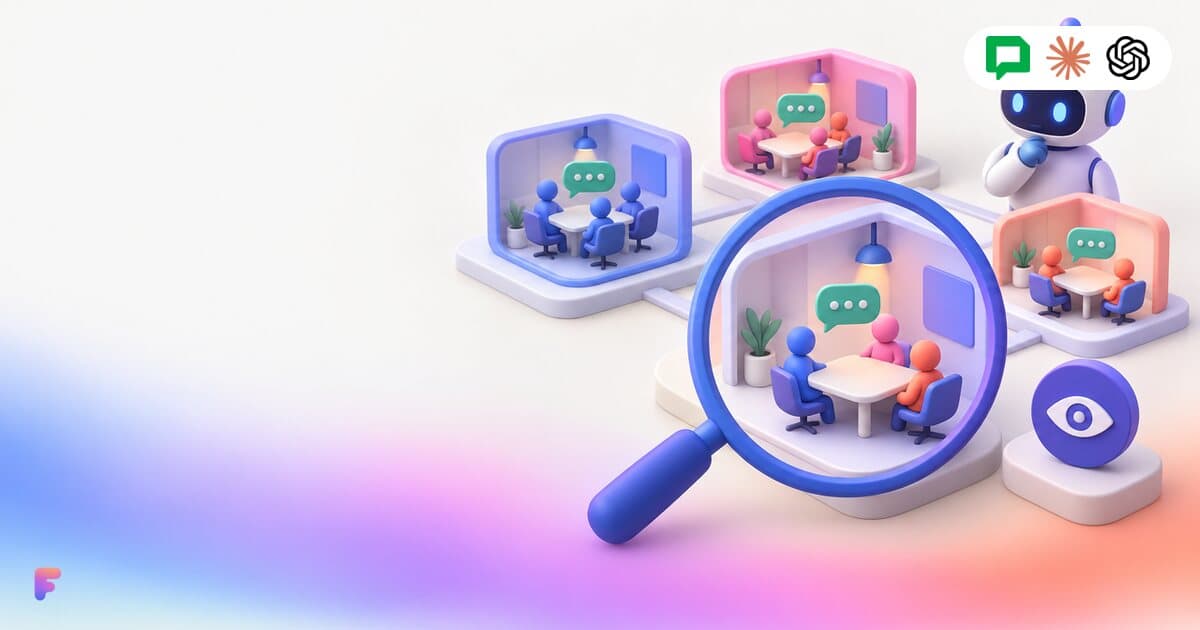
What your assistant can do with Google Chat
- Catch up: messages received in direct messages and group chats, and messages that mention you, since a given time.
- Find what you have not answered: each message says whether you wrote later in the same conversation.
- See unread conversations: spaces, group chats and direct messages, most recently active first, with an unread flag for the 30 most recent.
- Search: Google Chat's own search across your conversations, or a single space over up to 90 days.
- Read a whole thread or conversation, with a link to open it in Google Chat.
Other ways to do it
Google offers its own Google Chat MCP server, in Developer Preview. It needs your own Google Cloud project with the Chat APIs enabled and an OAuth client, which suits developers more than everyday users. Open-source servers exist too, but you host them yourself.
Fezola needs no Google Cloud setup, and puts Google Chat in the same connector as your email and Telegram, so one question can cover all of them.
Beta while Google verifies Fezola
Google is still verifying Fezola's access to Google Chat. Until it is done, Google shows a warning screen when you sign in (click Advanced, then Go to Fezola), and the number of Google accounts that can connect is limited. The app tells you if the beta is full.
Step by step
Create a Fezola account
Sign up for free. The Free plan includes 2 sources: Google Chat and one mailbox, for example.
Connect Google Chat
Open Google Chat in the Fezola menu and click Connect Google Chat. Sign in with your Google account and accept the read-only permissions.
Add your mailboxes (optional)
In Sources, add Gmail, iCloud or any IMAP mailbox, so your assistant can answer across chat and email.
Add Fezola to Claude or ChatGPT
In Claude: Customize, Connectors, + Add, Add custom connector, name it Fezola and paste https://api.fezola.com/mcp. In ChatGPT on the web: Plugins, the plus button, Add custom MCP server, paste the same URL and choose OAuth (Business and Enterprise/Edu plans; Pro can search and read only).
Approve access
Your assistant opens a Fezola sign-in and consent screen listing the sources it will access. Once you accept, the tools are available in your conversations.
Ask about your conversations
Try: “What did my team say in Google Chat this morning?”, “Which direct messages have I not answered since Friday?” or “Find the message where we agreed on the launch date.”
Why Fezola
- Google Chat next to Gmail, iCloud, any IMAP mailbox and Telegram, in one connector.
- No Google Cloud project, API or OAuth client to set up.
- Read-only: nothing is sent, and reading does not mark conversations as read.
- Works in Claude, in ChatGPT on Business and Enterprise/Edu plans, and in other MCP clients that support remote servers with OAuth.
- Messages are read live and never stored; Google tokens are encrypted.
Connect your first account in two minutes
Free with 2 sources, no card needed. Nothing to install.
Start for freeQuestions
Does Claude or ChatGPT have a Google Chat connector?
Not a built-in one as of November 2026. Both can read Google Chat through a custom MCP connector such as Fezola.
Can my assistant send Google Chat messages?
No. Google Chat is read-only in Fezola: your assistant can read and search, never post, react or mark as read.
Can it tell me what I still need to answer?
Yes. Recent messages come with a flag saying whether you wrote later in the same conversation or thread, so your assistant can list the ones still waiting for you.
Why does Google show a warning screen?
Google is still verifying Fezola's access to Google Chat. The warning disappears once verification is complete; until then, click Advanced, then Go to Fezola. You can revoke access at any time from your Google account or from Fezola.
How much does it cost?
Free for 2 sources. Pro connects unlimited sources for $9 per month or $90 per year, with a 7-day free trial. Each Google Chat account counts as one source.
Sources
Keep reading
IMAP MCP server: connect any mailbox to Claude (and ChatGPT Business)
OVH, IONOS, Gandi, Fastmail or a mailbox on your own domain, in Claude (and ChatGPT Business), with nothing to install.
Read the guide
How to bring all your inboxes and chats into Claude (or ChatGPT Business)
Gmail, iCloud, your own domain over IMAP, Google Chat and Telegram, searchable together through one connector.
Read the guide
Gmail, iCloud and IMAP inboxes together in Claude (and ChatGPT Business)
Personal and work Gmail, iCloud and your own domain in the same conversation, with every result labeled by account and replies drafted from the right address.
Read the guide
How to connect iCloud Mail to Claude
Connect iCloud Mail to Claude with an Apple app-specific password and one custom connector, next to your other inboxes.
Read the guide
How to use Yahoo Mail in Claude (and ChatGPT Business)
Connect Yahoo Mail over IMAP with a Yahoo app password, then add one custom connector to Claude (or ChatGPT Business).
Read the guide
How to use Telegram in Claude (and ChatGPT Business)
Let Claude (or ChatGPT Business) catch up on your Telegram private messages, groups and mentions, and tell you what still needs an answer.
Read the guide
Your AI reads your email. Anyone can write to you. Is that safe?
Prompt injection through email, in plain words, and the safeguards built into Fezola: sending off by default, drafts you review, nothing stored, access you can revoke.
Read the guideDocumentation
Setup in Claude and ChatGPT, and every MCP tool.
Open the documentationPricing
Free with 2 sources, Pro with unlimited sources and a 7-day free trial.
See pricing